How do I set a Out-Of-Office message for myself
1. Open Microsoft Office Outlook 2013.
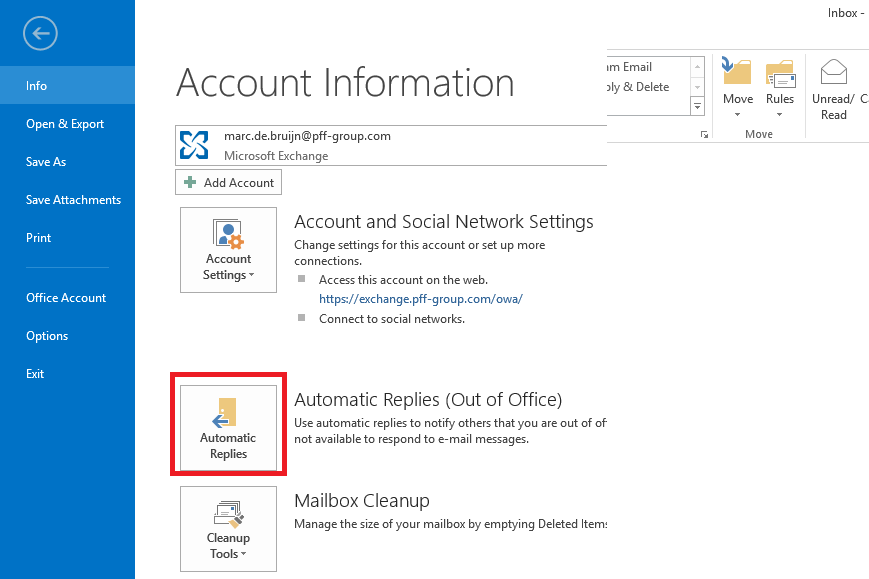
2. Click on the File tab (May have different name due local language setting).
3. Click on Automatic Replies
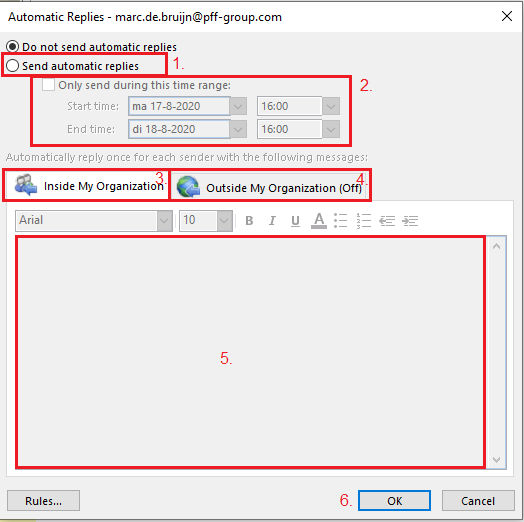
3. The automatic replies menu opens.
- Select the option Send automatic reply (Automatische antwoorden verzenden)
- Set the time range if desired.
- Set the message for inside the organisation.
- Set a message for outside the organisation.
- Here you can type in the Out-Of-Office message.
- Click on OK to set the Out-Of-Office message.